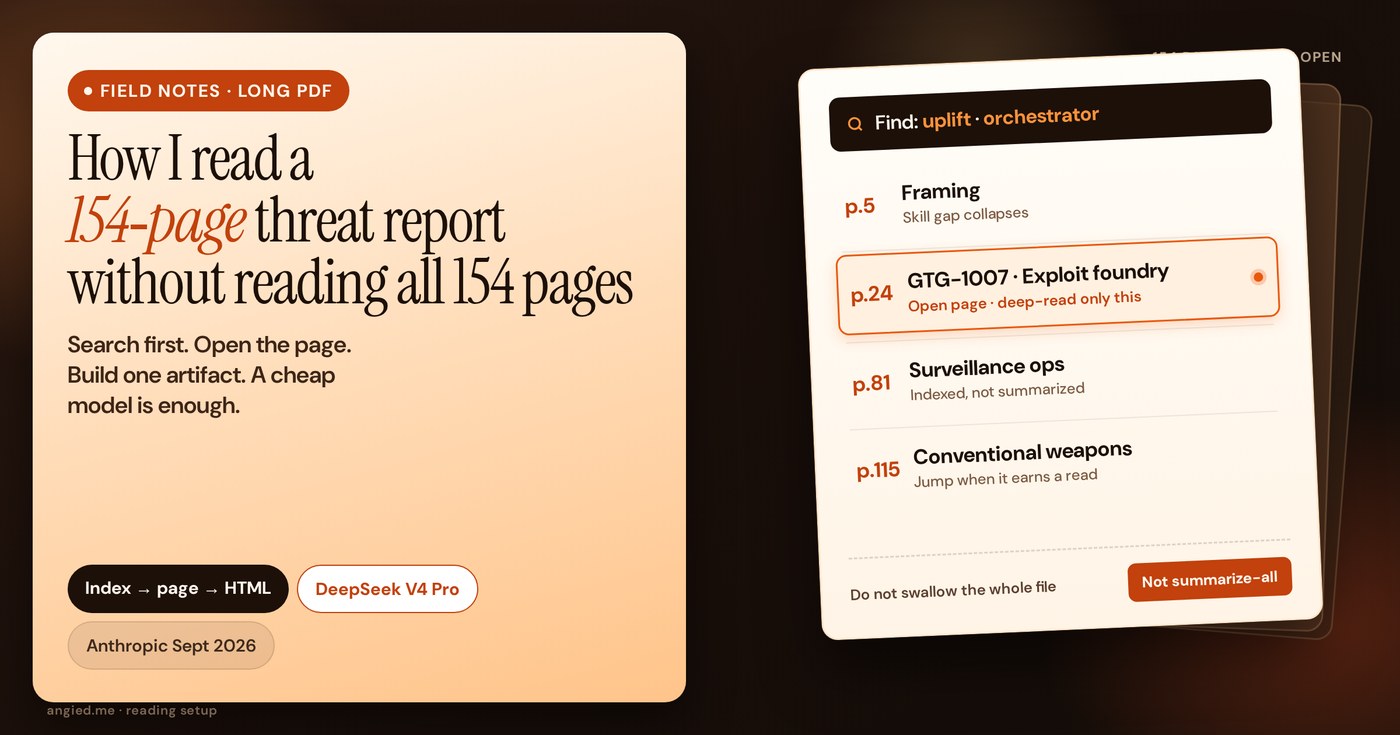
I did not start with “summarize this PDF”.
I had 154 pages of Anthropic’s September 2026 “Detecting and countering misuse of AI” report, a news cycle already screaming about spies and bioweapons (Reuters, BBC), and one job: pull claims I could defend later. Fair that the wires led with the scary cases. I still needed page numbers, a map of the whole thing, and one diagram I could explain to someone in under a minute.
Also: I ran almost this entire pass on DeepSeek V4 Pro Instant. Not a flagship model. A cheap one. The PDF work did not need a frontier brain. It needed search, page jumps, and a place to drop artifacts.
The failure mode is premature summary
Whole-file summaries on long hostile PDFs fail in a boring way. They sound fluent. They merge case studies. They drop page anchors. They smooth the one sentence that actually matters into generic “AI is dangerous” mush.
You finish the chat feeling informed. You open a blank doc to write and realize you cannot cite anything.
So the rule I use now is simple:
Search first. Open the page. Read that section. Summarize last, or never.
Professional reading already works like that. Analysts do not inhale every appendix in order. They build a slice, jump, and only then argue.
Step 1: Build a tiny index, then flip pages like a book
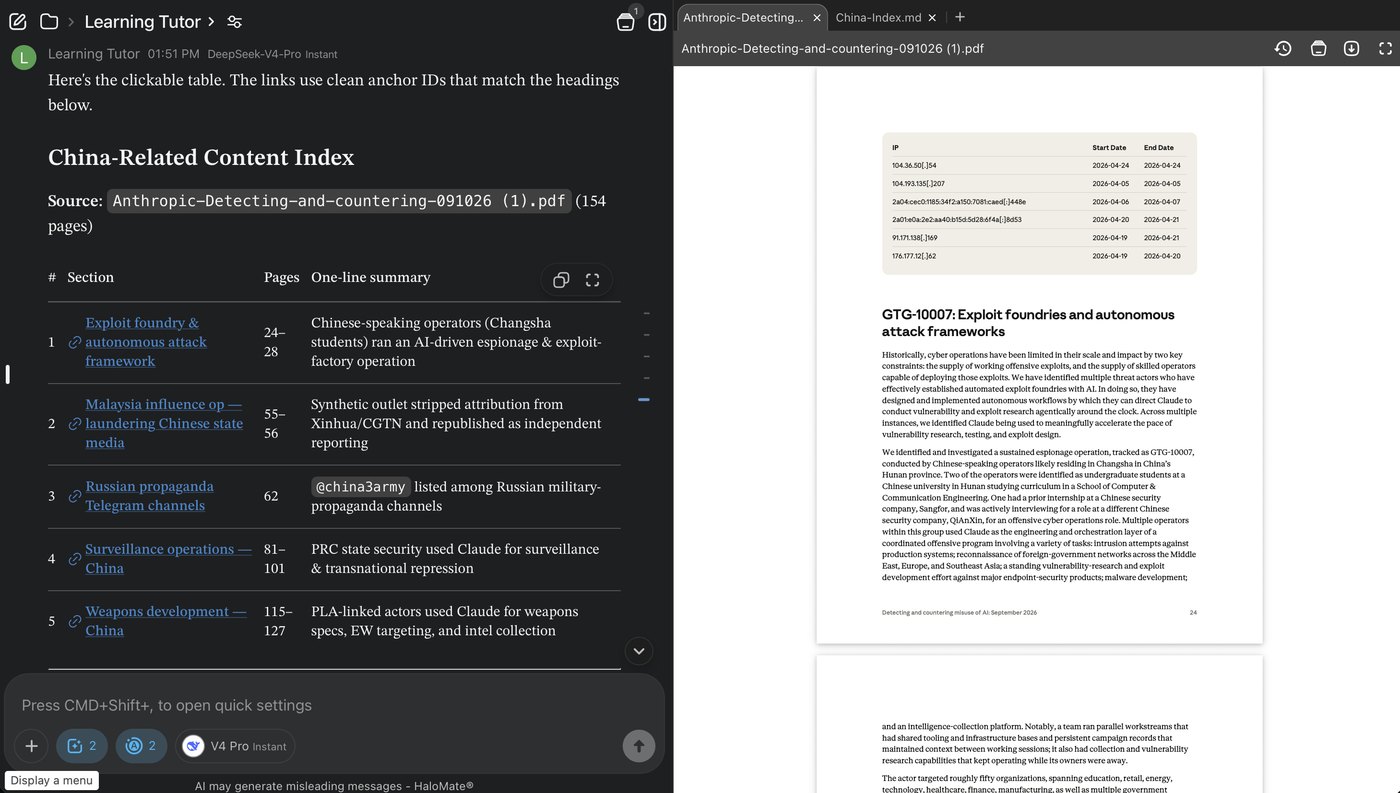
I did not ask the model to “read all 154 pages.” I asked for a clickable content index on one slice I cared about first (China-related sections), with:
- section title
- page range
- one-line summary
- links that jump to those headings
Left side: the index in chat. Right side: the actual PDF open on the hit page.
That is the whole trick.
You are not “using AI instead of reading.” You are using AI the way you use a table of contents and Ctrl+F, except the TOC can be rebuilt for whatever slice you care about today (China, weapons, bio, influence). The rest of the file stays closed until a row earns attention.
When I needed another slice, I repeated the same move. Still no whole-document swallow.
Why the cheap model is enough here: indexing and page pointing are structured extraction. V4 Pro Instant was fine. I was not asking it for moral philosophy. I was asking “where is this, and what is the one-line job of that section?”
Step 2: Define “done reading” as artifacts, not a longer chat
A finished pass, for me, means three objects in the same workspace:
- The original PDF (source of truth)
- A short plan or notes file (what I decided to build)
- Something I can show: usually a single HTML page
Chat scrolls. Files stay.
I work in HaloMate for this because the PDF, the index notes, and the HTML preview sit on one desk. I am not pasting 20 chunks between tabs and losing page numbers. That is a setup preference, not the point of this note. The point is index → page → artifact.
Step 3: Turn the skeleton into one page you can hover
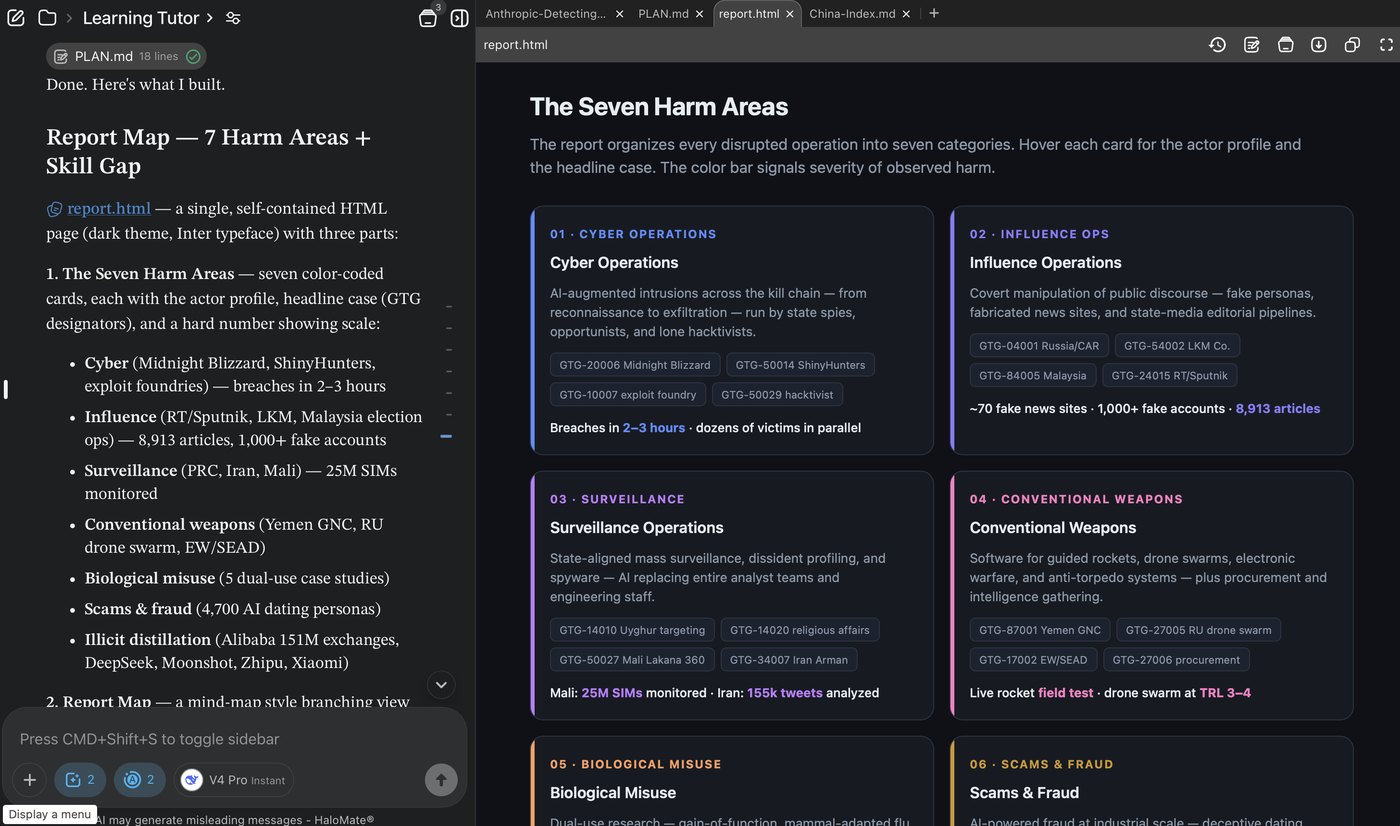
After the index pass, I still did not want a 2,000-word synopsis. I wanted the report’s own spine: the seven harm areas, with enough label density that I could see scale without rereading every case.
So I had the model build a single self-contained HTML page (report.html): dark UI, seven cards, actor tags, a few hard numbers pulled from sections I had already opened.
Two details matter more than the polish:
- The plan file came first. “Here’s what I built” is a contract. The model is filling a layout I already scoped, not free-styling a poster from vibes.
- Numbers on the cards only landed after I had jumped to pages. If a metric felt soft, I went back to the PDF row, not to a second summary.
This is also where V4 Pro Instant earned its keep. HTML cards and consistent structure are well within a mid-tier model. Paying frontier rates to generate a harm-area grid is mostly habit.
Step 4: One takeaway diagram (the only slide you need)
Anthropic’s report has a lot of set pieces. The takeaway I kept is smaller:
AI misuse is sliding from assistant to orchestrator. The skill gap that used to limit attackers is collapsing.
I put that into its own frame: an autonomy spectrum, before/after cards, and a short dimension table (who runs the campaign, recon speed, and so on).
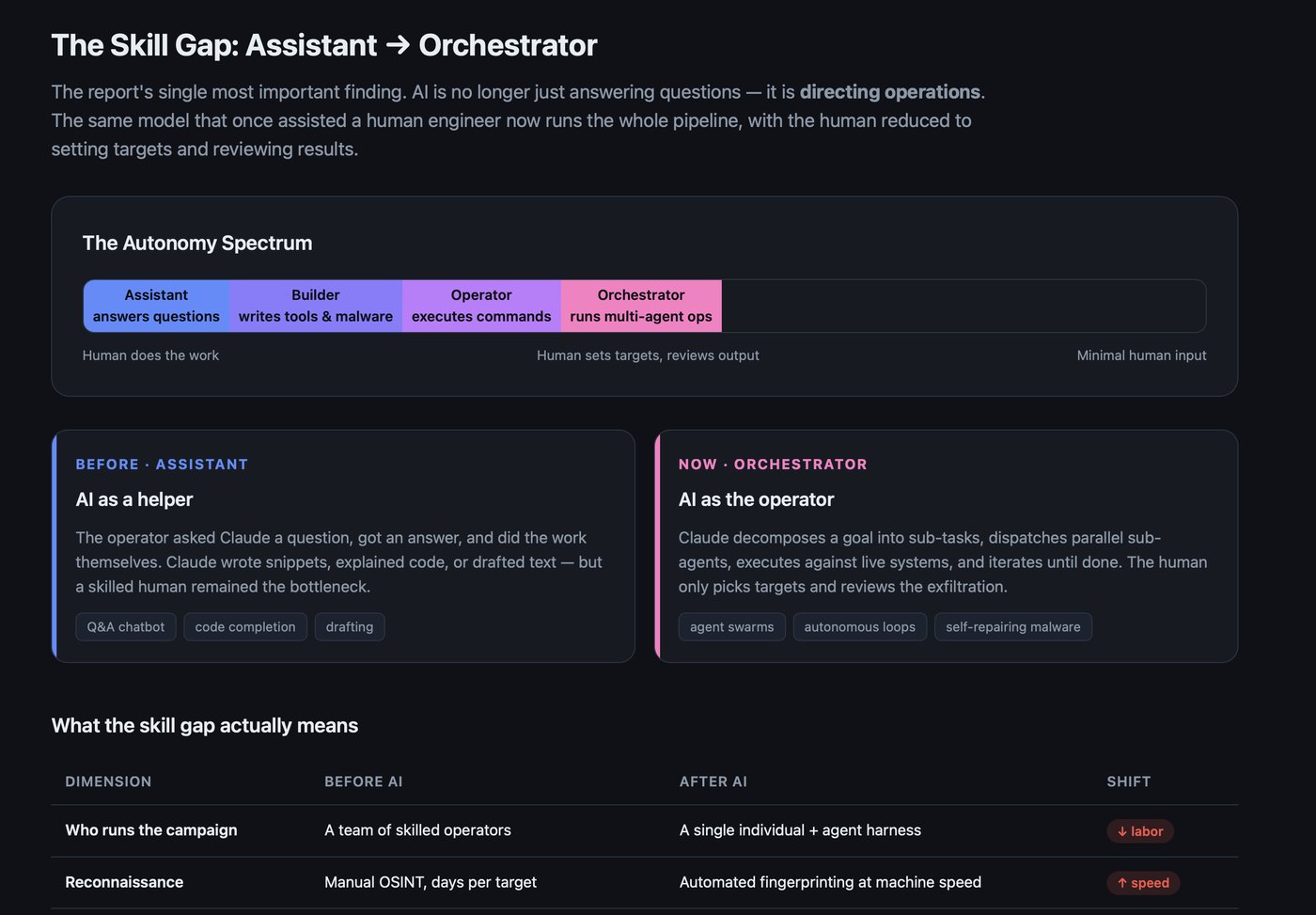
I did not need seven more dashboards. If the diagram can carry the argument, the case studies become optional color, not the spine.
That diagram is also what I wrote from. The opinion essay is the human judgment pass: wrong question (“is Claude dangerous?”) versus right question (what happens when sophistication stops signaling who is behind an operation). This HTML was the reading residue that made that essay cheap to draft.
What I still refuse to automate
Cheap models and good tooling do not get the last word.
I still:
- open the PDF on the cited page before I trust a quote
- write the opinion line myself (or at least edit it until it sounds like me)
- treat vendor telemetry as a window, not the whole industry
The model builds indexes, drafts HTML, and reformats tables. It does not get to decide what the report “really means” in my voice.
If you only copy one habit, copy this split:
| Job | Who |
|---|---|
| Find section + page | cheap model + search/index |
| Deep-read the page | you |
| Build map / diagram | cheap model |
| Decide the take | you |
A reusable loop (any long PDF, not just this report)
- Name the slice. Whole file is not a slice. “Exec summary + trend chapter” or “anything on X” is.
- Index with pages. Title, range, one line, jump links if you can.
- Open hits only. Read like a book with a good TOC.
- Log claims with pages as you go (even a messy markdown list). My working index doubled as the first claims list; when I need courtroom-level citations I add a short quote column.
- Build one artifact. Map, matrix, or spectrum. Prefer a single HTML page you can reopen tomorrow.
- Write from the artifact + PDF, not from chat memory.
- Keep the model mid-tier until it fails. Escalate only for the judgment pass, if ever.
What this is not
It is not a benchmark of PDF features across apps.
It is not “never summarize.” Summaries are fine after the skeleton exists.
It is not a claim that small models beat frontier models at everything. They beat my old habit of throwing a flagship at 154 pages and calling it research.
Quick answers (if you landed from search)
What is the best way to read a long PDF with AI?
Do not start with “summarize this PDF”. Build a small index with titles, page ranges, and one-line jobs. Open only the hit pages in the real file. Log claims with pages. Then build one artifact you can reopen tomorrow. Summarize last, or never.
Do I need a frontier model for a 100+ page PDF?
Usually no. Indexing, page pointing, and HTML cards are extraction and layout. A mid-tier model is often enough. Keep the judgment pass in your own voice. Escalate the model only when the cheap pass fails.
Why do whole-file AI summaries fail on long reports?
They sound fluent, merge cases, drop page anchors, and smooth the one sentence that matters into generic mush. You feel informed in chat and cannot cite anything when you write.
The companion essay
If you want the take on what Anthropic’s report actually implies (skill gap, public scaffolding, architecture over brand), that is separate. I published the judgment pass on Medium as I Read Anthropic’s September 2026 Threat Report. “Is Claude Dangerous?” Is the Wrong Question.
This page is only how the PDF became something I could argue from: search and page-level read on a cheap model, then a couple of HTML artifacts I still have open.
The brand on next quarter’s threat report will change. The reading habit does not have to.