I did not expect to write this article.
Most of what I write is about work. AI productivity workflows. Project templates. How I set up my workspace so I do not lose context every time I switch tasks.
This one is different. This one is about my dad's diabetes, my kid's 3 AM fever, and why our family medical records now live inside the same AI workspace I use for work.
I am not a health influencer. I am the person who forgets which hospital app has which report, and who still has vaccination cards in a drawer somewhere.
But over the last year, my family's medical life quietly moved into the same AI workspace I already use for work. It was not a big decision. It happened one file at a time.
At some point I realized something simple:
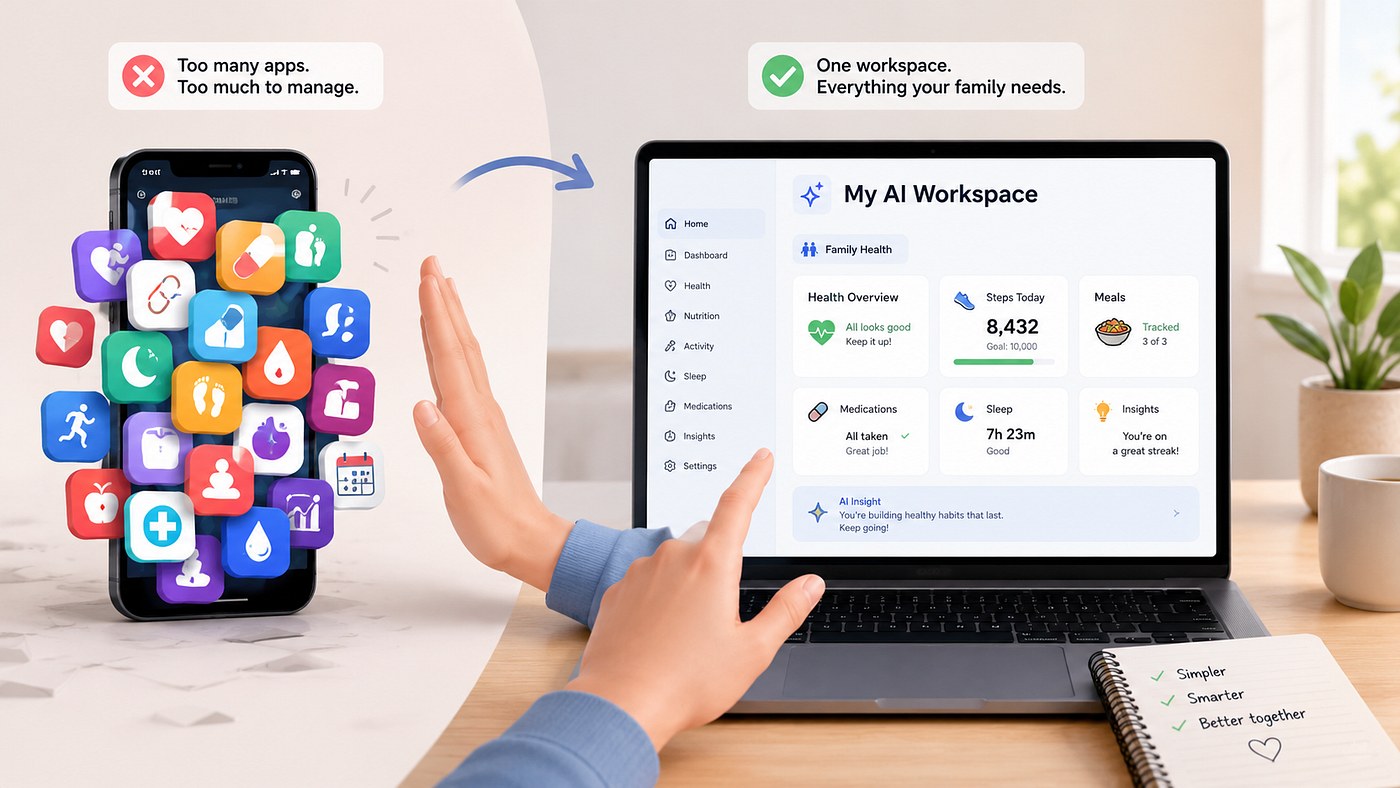
If I already live inside one AI workspace for 6 hours a day, why am I opening three different hospital portals and another health app just to remember basic information about the people I love.
So I stopped trying new health apps. I made a "Family Health" project inside my existing AI workspace instead.
Why I Put Health Inside My Existing AI Workspace
My problem was not a lack of apps. It was the opposite.
- Hospital portal apps for each hospital
- Vaccination records for my kids with their checkup reports in physical handbooks
- A separate app for my dad's glucose sensor
- Notes scattered across Apple Notes and paper
Each one had a small piece of the story. None of them had the whole picture. Meanwhile, my AI workspace already had long running projects, files that never disappear into some random folder, and assistants that remember how I like information presented.
It felt silly to keep all my "serious" thinking there, but let my most important information — health — live in a pile of separate apps.
The Simple Setup: One Project, A Few Plain Files
I created a project called "Family Health". Inside it, I added a few boring files.
- One file per family member with basics: blood type, allergies, current medications, past surgeries, vaccination history
- A timeline file for each person: dates of doctor visits, diagnoses, test results, short notes
- A running list called "Questions_for_doctor" that I update before any appointment
That is it. No charts. No streaks. Just plain text and tables.
The difference is that my AI assistants can read those files. So every time I open this project, they already know the context.
Case 1: 3 AM Fever And A Four Minute Call
One night my kid woke up with a fever. Not emergency level, but high enough that it would not wait until "sometime tomorrow".
At 3 AM, I was half awake and did not trust my memory. Instead of opening a hospital app, I opened the "Family Health" project and asked one of my assistants:
"Based on what you know in this project about his history, what should I ask the pediatrician in the morning about this fever. Anything I should remember to mention."
The assistant pulled from his file and timeline. It noticed he had a similar fever pattern about eight months earlier that resolved on its own, and that he has an allergy noted for a specific antibiotic.
It gave me a short checklist. When I called at 8 AM, I did not sound like a parent guessing. I had dates. I had the name of the antibiotic. The call took four minutes instead of a long, fuzzy conversation.
The AI did not tell me whether the fever was serious. It just made sure I showed up to that call with a clear, complete picture.
Case 2: My Dad's Type 2 Diabetes And Making Sense Of Sensor Data
My dad has type 2 diabetes. A while ago his doctor put him on a continuous glucose monitor. The data stream is great in theory and overwhelming in practice.
Every two weeks he would get a nice looking graph in the official app and still say: "I am not sure what to do with this. Is this good."
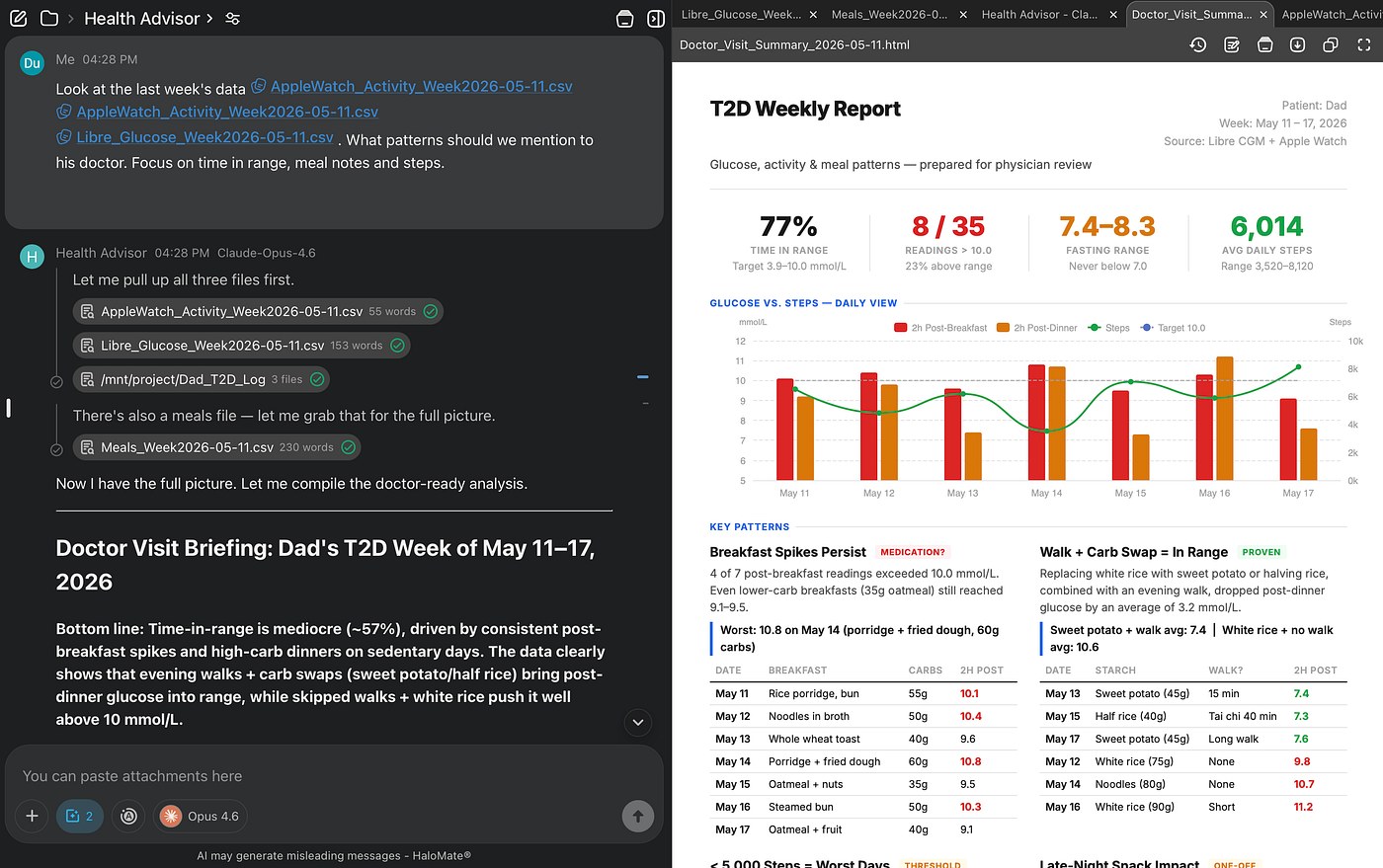
Inside the "Family Health" project, there is a file called Dad_T2D_log. It has three types of information:
- Summarised CGM readings (what the doctor actually cares about, not every data point)
- Meal experiments (only the experiments, not every meal)
- Activity from Apple Watch (average daily steps)
Before each endocrinologist appointment, I open this file and ask:
"Look at the last week in Dad_T2D_log. What patterns should we mention to his doctor. Focus on time in range, meal notes and steps. Do not give medical advice. Just help me summarize."
When we walk into the appointment now, my dad is not handing over a random graph on his phone. We hand over a short written summary of real patterns from the last month.
The doctor still makes the decisions. The AI is simply our unpaid intern, sorting the data so the human experts can spend their time on judgement, not on scrolling.
Case 3: How I Wish I Had This During Pregnancy
During my pregnancy I had gestational diabetes. For about three months I tested my blood sugar several times a day and logged everything I ate.
I used a paper notebook and a separate app from the meter. Every checkup, my doctor would flip through pages and try to spot patterns in a sea of numbers.
Looking back, the setup I use now for my dad would have worked for me too: weekly groupings, meal notes that went badly or surprisingly ok, a prompt before each appointment to find patterns worth asking about.
I cannot rewrite that experience, but it is one reason I am stubborn now about not letting health data live in ten different places.
Why This Works Better For Me Than Another Health App
- No extra context switching. The AI workspace is already open for work. The "Family Health" project sits next to client work and school documents.
- The assistants already know how I like information. Bullet points, clear labels, no "wellness journey" marketing language.
- No hidden agenda. Just files and assistants. No one pushing supplements between glucose readings.
What This Is Not
To be very clear: none of this replaces doctors.
The AI in my workspace does not diagnose. It does not decide treatment. It does not tell us which medication to take or stop.
What it does is much more humble:
- Keep all our key information in one place
- Help us see patterns in our own notes and reports
- Prepare better questions for real doctors
If You Already Use An AI Workspace For Work
- Create a "Health" or "Family Health" project.
- Add a basic file per person with allergies, medications, important history.
- For one upcoming appointment, drop recent test results or key notes into a file.
- Ask your assistant inside that project to help you organize questions for that visit.
That is enough to see if this style fits you.
One last thing, because I used to work in privacy and I cannot not say this:
Keep the really sensitive pieces of information close. Do not upload full ID numbers, insurance policy numbers, or anything that would let a stranger impersonate you if the data ever leaked. I use my AI workspace for patterns, summaries and prep. The official records still live with the hospital.